NoteThing App Icon

Everything you need.
One beautiful app.

Notes, tasks, goals, and reminders — together at last. Designed for iPhone, iPad, and Mac, with iCloud sync built in.

One purchase, all platforms No subscription No tracking 13 languages
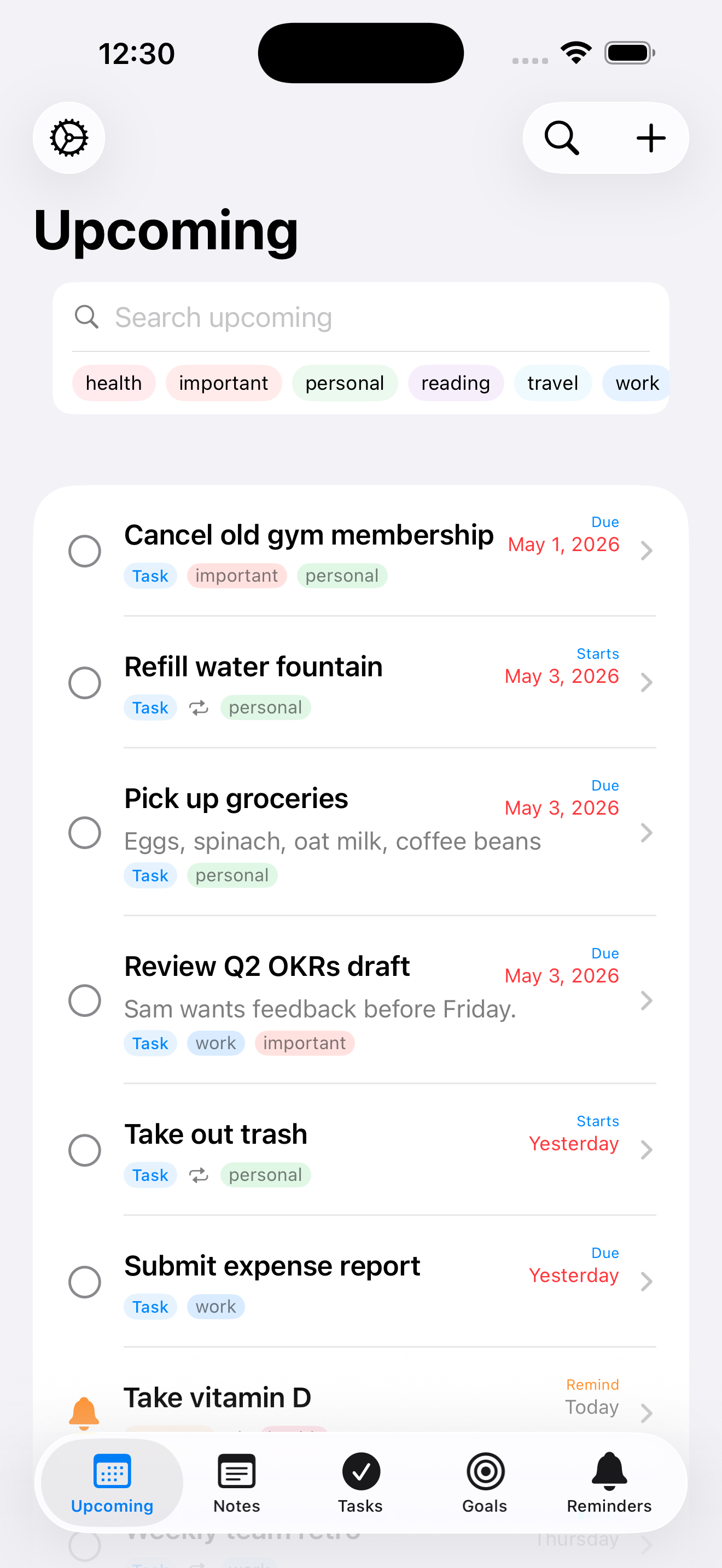
NoteThing on iPhone

A productivity toolkit, simplified

Stop juggling four apps. NoteThing brings it all together — without the bloat.

Four tools, one app

Notes, tasks, goals, and reminders side by side — switch between them without leaving the app.

iCloud sync

Start a note on your Mac, finish it on your phone. Everything stays in sync across your devices automatically.

Buy once, yours forever

No subscription. No tiers. No locked features. One purchase covers iPhone, iPad, and Mac.

Reminders that respect you

Set recurring schedules and define quiet hours so notifications never wake you at 2 a.m.

Speaks your language

Fully translated into 13 languages including French, German, Spanish, Japanese, and Korean.

Private by design

No ads. No analytics. No tracking. Your data lives on your devices and in your iCloud — never ours.

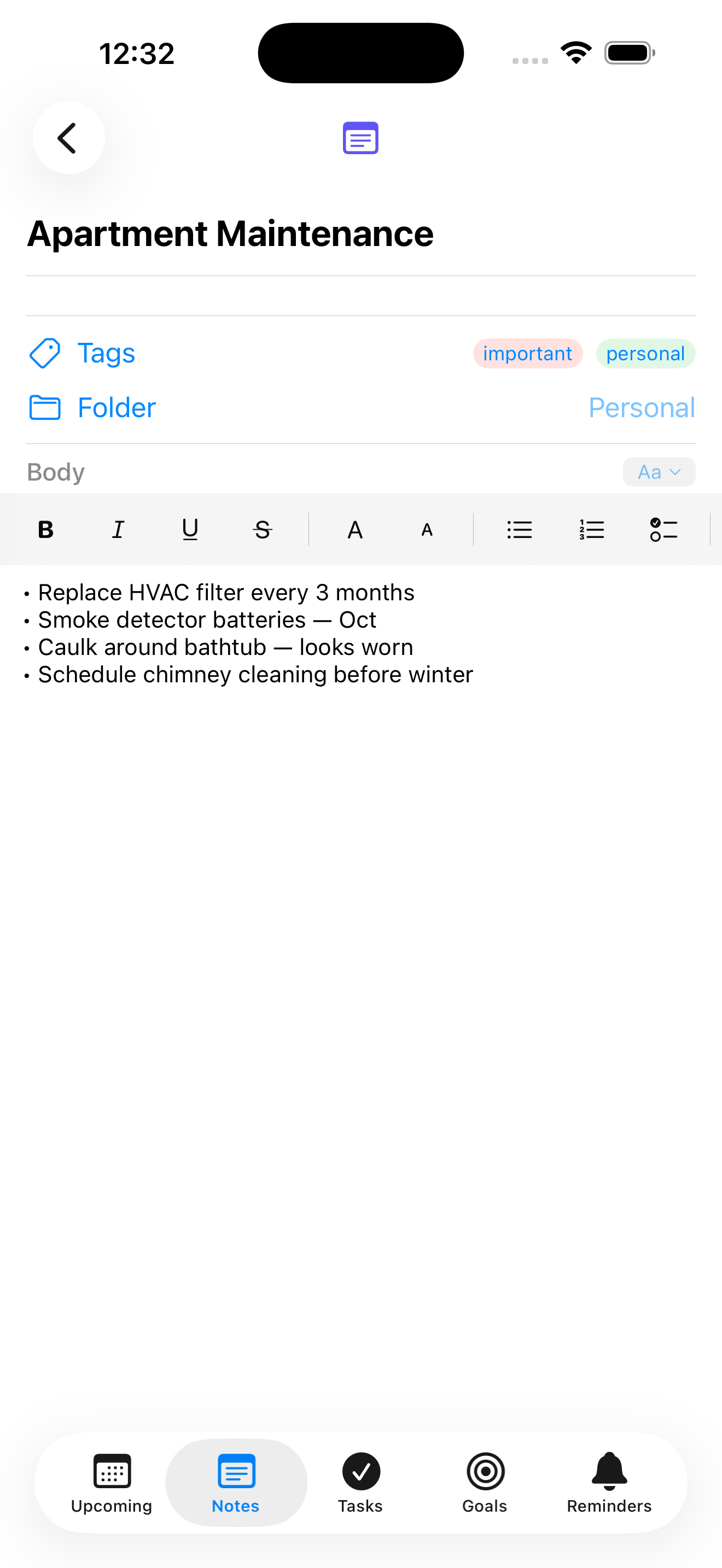
Notes

Capture every thought

Rich text or Markdown — switch anytime. Organize with folders and tags.

  • Rich text editor with formatting toolbar, plus full Markdown mode
  • Live Markdown preview — see your formatting render as you type
  • Folders and color-coded tags to keep things organized
  • Search across every note instantly
NoteThing note editor on iPhone

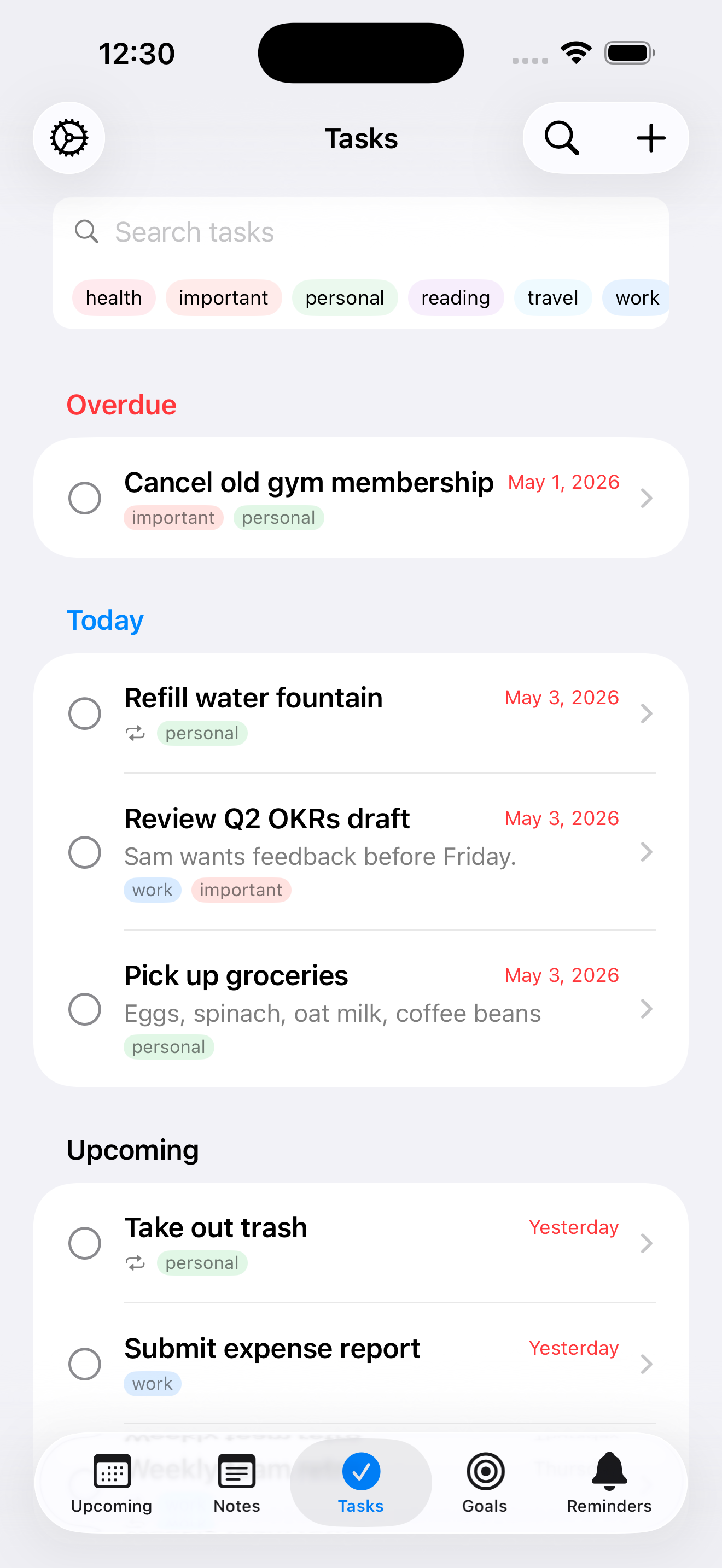
Tasks

Stay on top of it all

Due dates, recurrence, and smart notifications — get things done without the busywork.

  • Set due dates with flexible recurring schedules — daily, weekly, custom
  • Lead-time notifications: alert at the time, 15 min, 1 hour, or 1 day before
  • Completed recurring tasks auto-spawn the next occurrence
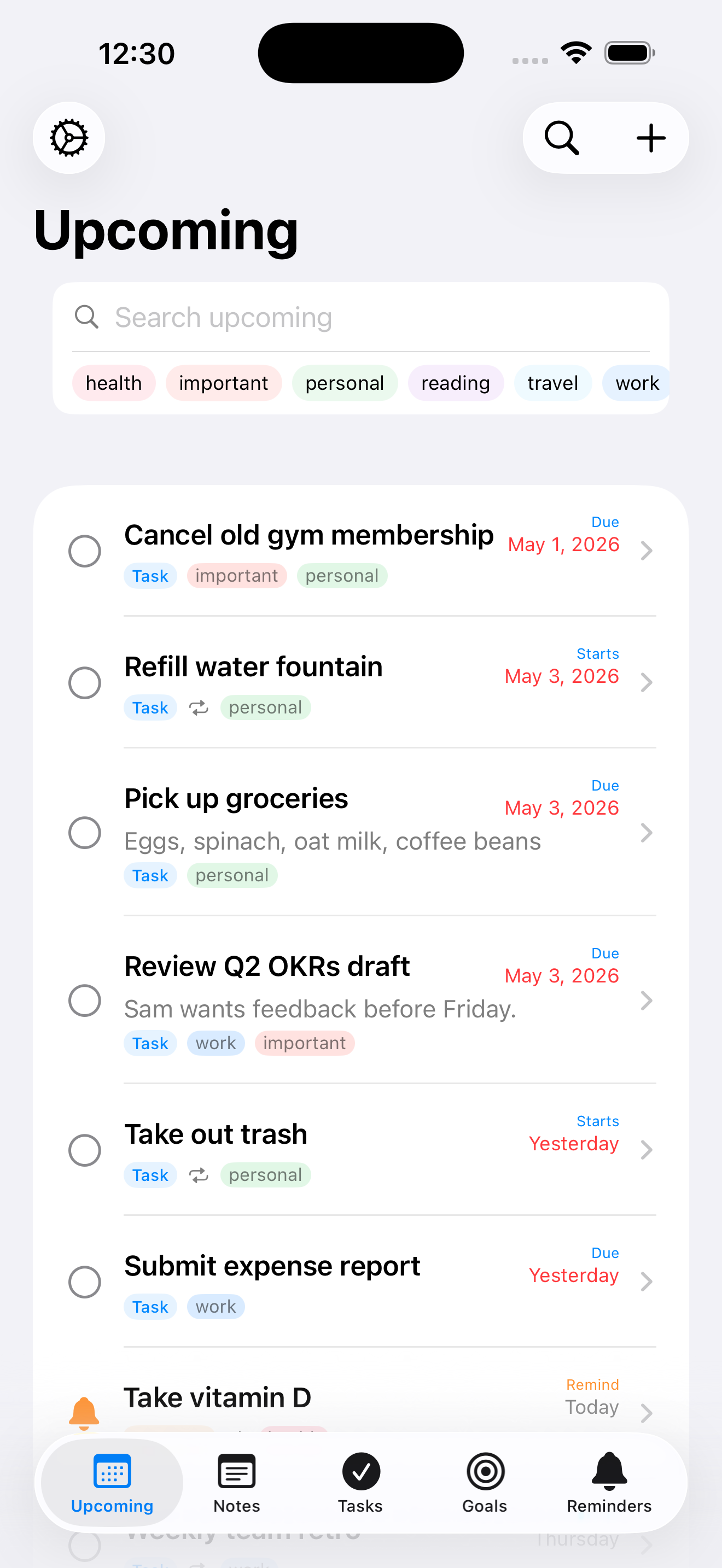
  • Upcoming view rolls all your deadlines into a single timeline
NoteThing tasks on iPhone

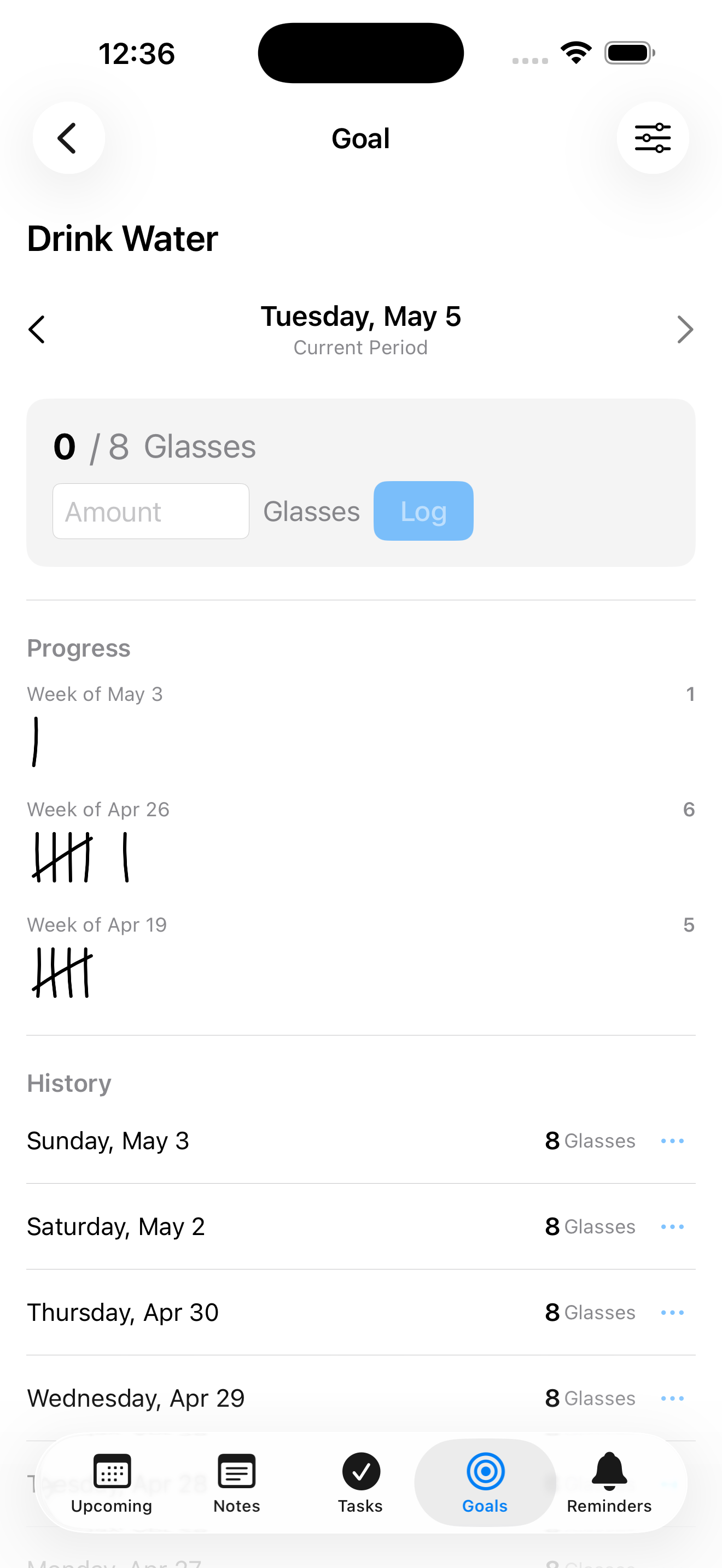
Goals

Build better habits

Track streaks, log quantities, and watch your progress add up over time.

  • Daily, weekly, monthly, quarterly, or yearly cadences
  • Yes/No goals or quantity goals (push-ups, miles, dollars saved)
  • Four display styles: checkbox, tally marks, streak counter, or progress bar
  • History view shows every entry with charts and momentum
NoteThing goal details on iPhone

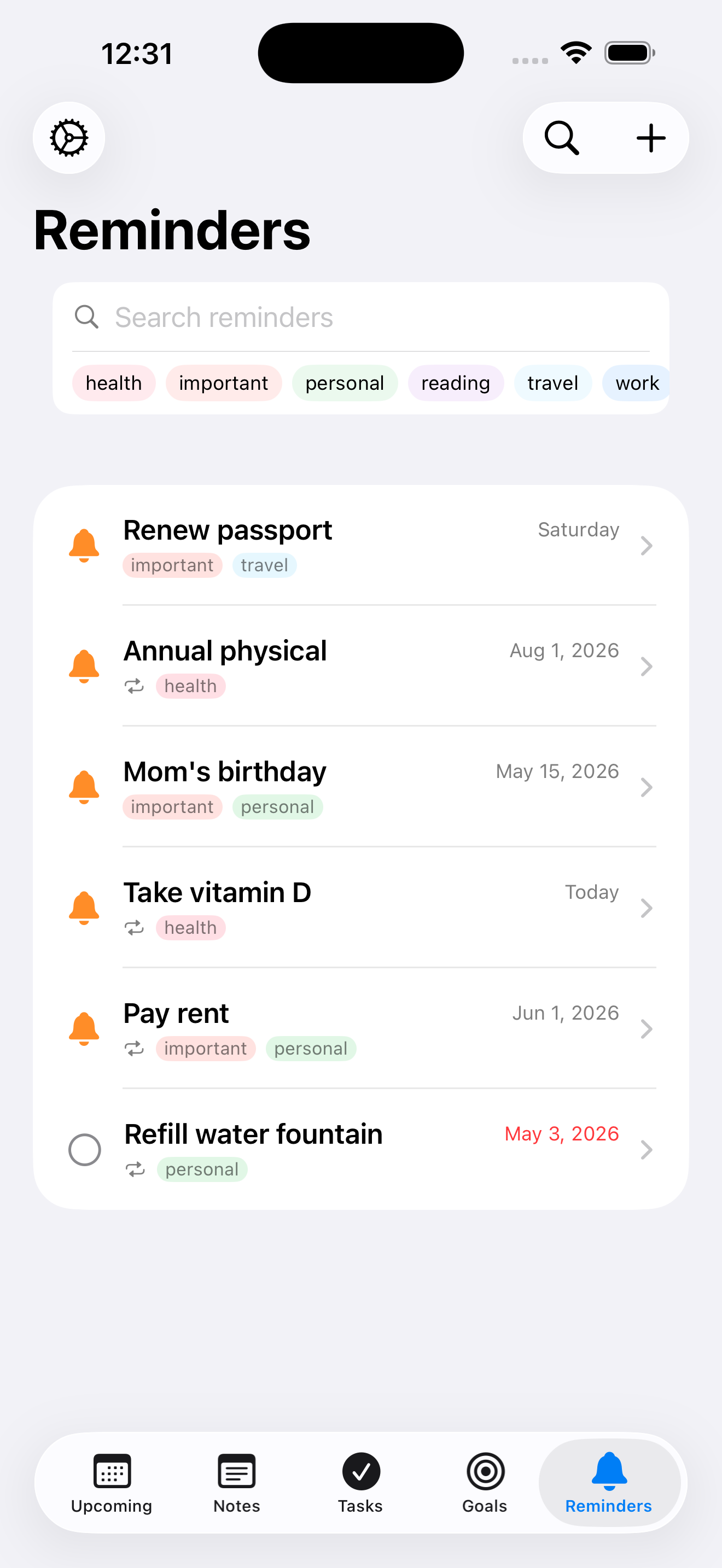
Reminders

Never forget — without being annoyed

Recurring reminders with quiet hours so your phone respects your sleep.

  • Recurring schedules with the same flexibility as tasks
  • Quiet hours push notifications past your bedtime window
  • Pause individual reminders without losing their schedule
  • Smart scheduling keeps you under the system's 64-notification limit
NoteThing reminders on iPhone

At home on every Apple device

One purchase. Three platforms. Synced in real time.

NoteThing on iPhone

iPhone

Designed for one-handed use, with widgets for your Home Screen.

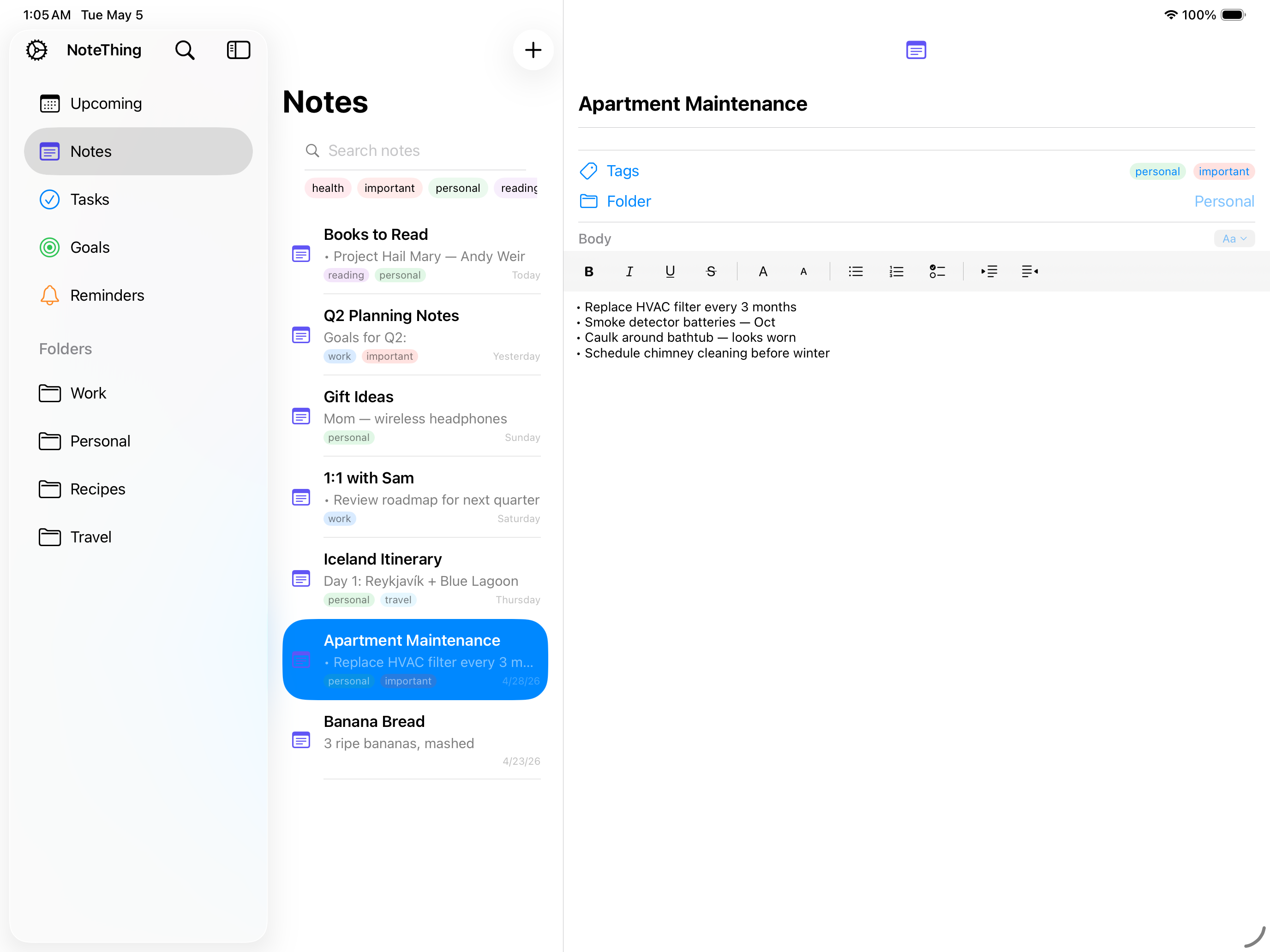
NoteThing on iPad

iPad

Split-view layout that takes full advantage of the bigger screen.

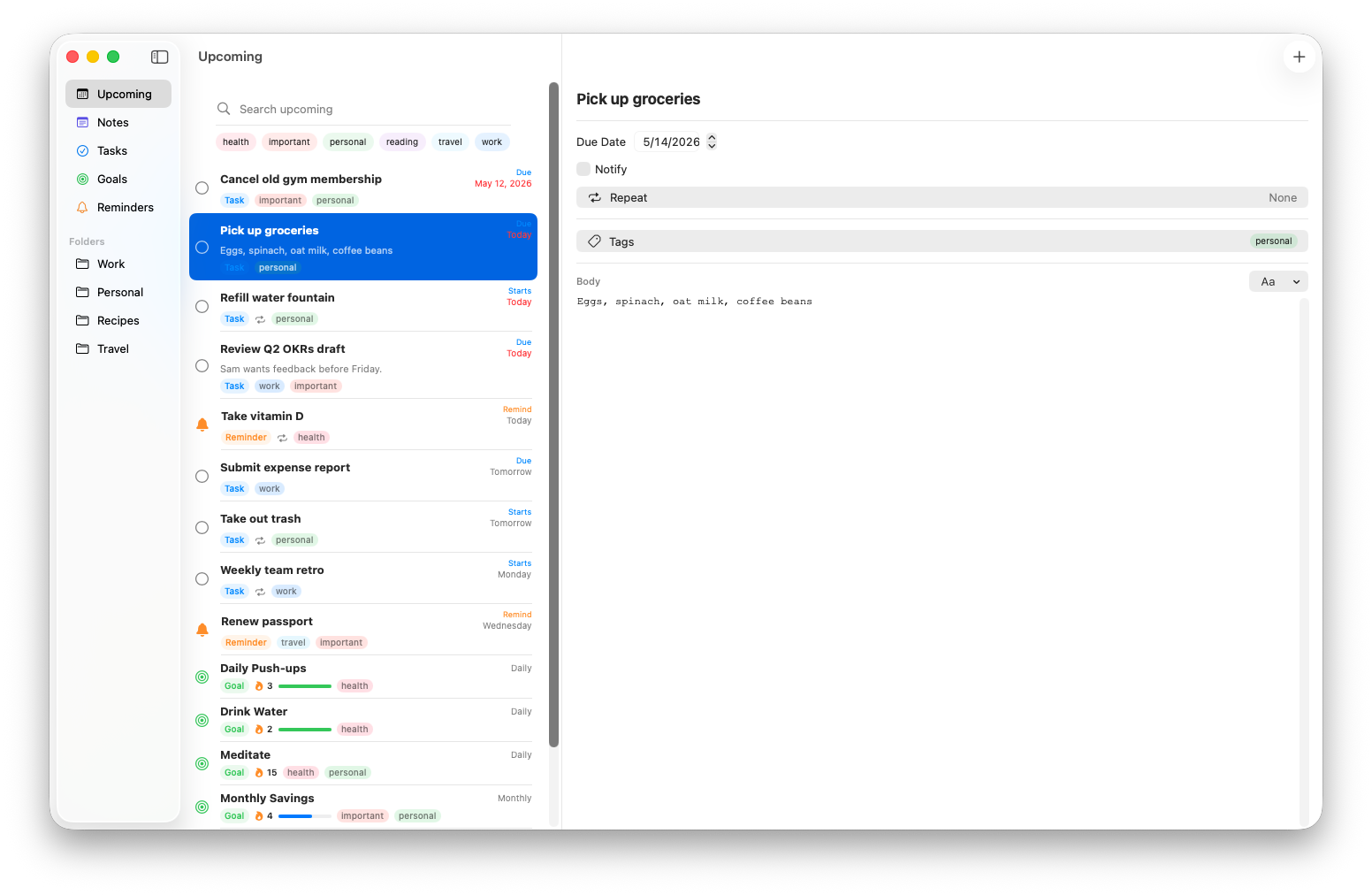
NoteThing on Mac

Mac

Native Mac app with keyboard shortcuts, multi-select, and file export.

Widgets

Right on your Home Screen

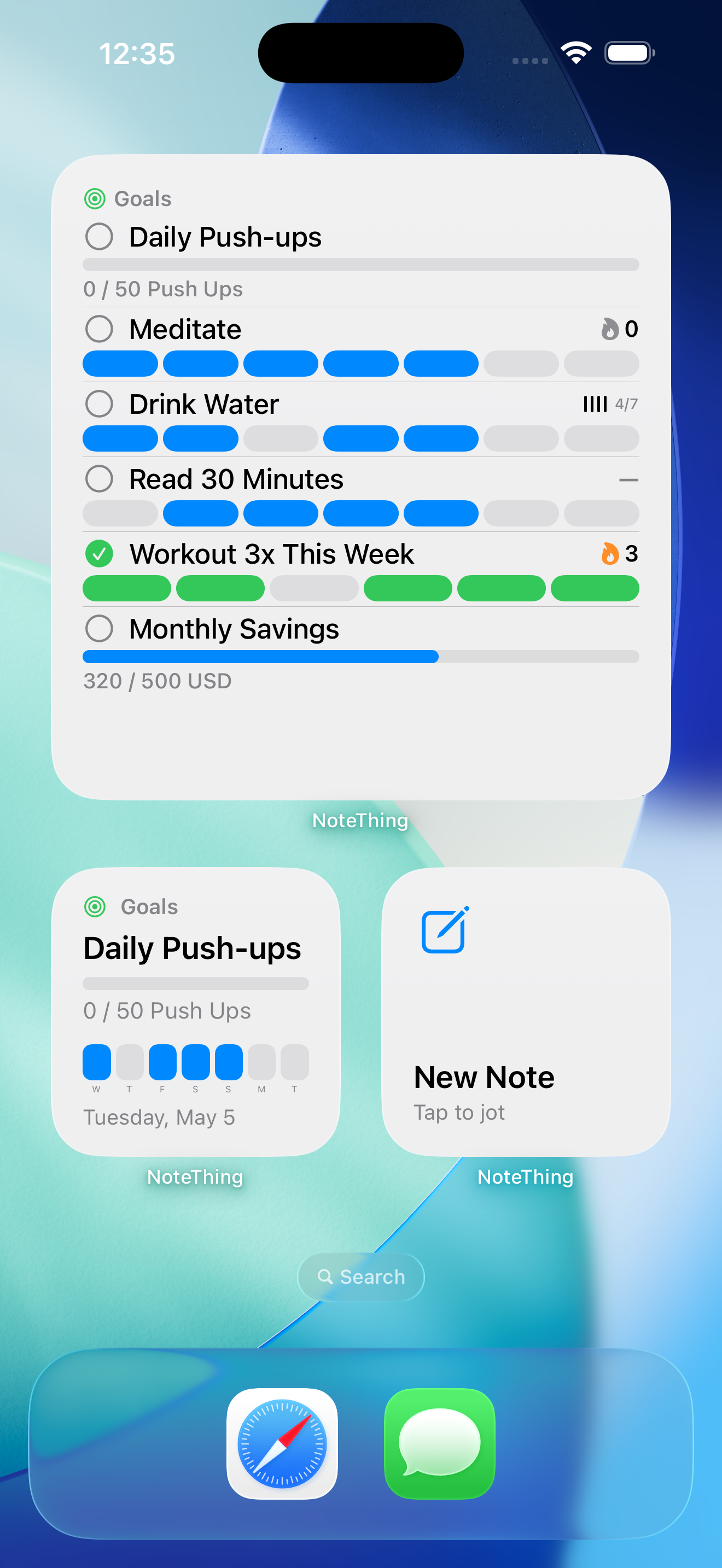
Glanceable widgets keep what matters in view. No need to open the app.

  • Upcoming tasks and reminders at a glance
  • Goal progress shown right alongside your other widgets
  • Multiple sizes — small, medium, and large
  • Updates throughout the day as you complete things
NoteThing widgets on the iPhone Home Screen

Honest pricing

Buy once. Own forever.

One App Store purchase covers iPhone, iPad, and Mac — forever. No subscriptions. No tricks.

What you get

  • Universal Purchase — one buy, works on iPhone, iPad, and Mac
  • Every feature unlocked from day one
  • Free updates for the life of the app
  • iCloud sync via your own Apple Account
  • Translated into 13 languages
  • Family Sharing supported through the App Store

What you don't get

  • No subscriptions, ever
  • No in-app purchases or paywalled features
  • No account to create — just your Apple Account
  • No ads, no upsells, no nags
  • No analytics or tracking — we don't collect anything
  • No servers holding your content — your data stays yours

One purchase. All your devices. Forever.

No subscription, no in-app purchases, no account to create — just download and use.

Download on the App Store
iPhone · iPad · Mac    iCloud sync    Private by design